Changelog

What’s new with Myne.

What’s new, what’s next, and the things we’ve been quietly shipping in between.

Get updates in your inbox

New features, platform launches, and product milestones — sent occasionally, never spammy.

Occasional updates. No spam. Unsubscribe anytime.

Myne Ways to Add sheet showing the new Import a spreadsheet option alongside photo, barcode, library, search, and manual entry
12 / Feature

Bulk import from a spreadsheet — no photos required

If your inventory already lives in a spreadsheet — an insurance list, a collection log, a moving manifest — you no longer have to re-enter it item by item. Grab the CSV template from the new "Import a spreadsheet" option in Ways to Add, fill in a row per item, and Myne imports the whole file at once. The template ships with a couple of sample items so you can try an import before touching a single cell.

The best part: no photos needed. For every row, Myne searches the web for the best stock photo of that item and attaches it automatically — and if you already have an image link, drop it in the optional Image URL column and we'll use that instead. Names, categories, tags, retail and resale values, purchase dates, and even which space each item belongs in all come along for the ride.

Myne share-publicly settings that put items on the public web, where buyers can now make offers
11 / Feature

Get offers on your stuff — buyers can now make offers on public items

Your public item pages just became a way to sell. Turn on "Accept offers" for an item (or for everything at once in Settings) and anyone viewing its page can send you an offer — an amount, their email, and an optional note. No account needed on their side, and nothing changes for items you keep private: offers are only ever possible on items you've chosen to share publicly.

For now it's simple emails: you get a note the moment an offer lands, and if you accept, the buyer gets one back — reply threads connect you directly so you can arrange payment and pickup however you like. Myne never processes payments or takes a cut; the deal is entirely between you and the buyer. Accept or decline from the new Offers section on your home screen.

Bulk capture confirm screen with several photographed items queued to process in the background
10 / Feature

No signal, no problem — add items completely offline

A storage unit with no bars, a basement dead zone, a garage at the edge of the Wi-Fi — the places you most need to catalog are the places with the worst signal. Myne now handles them. Capture items as usual and they queue safely on your device: photos are stored durably (they survive closing the app, even restarting your phone), and the moment you’re back online everything uploads and the AI identifies each item automatically.

You can watch it happen from the home screen — queued adds show up in Processing with retry controls if anything needs attention. Offline browsing stays free for everyone; adding items offline is part of Myne Plus, alongside offline-ready capture in bulk.

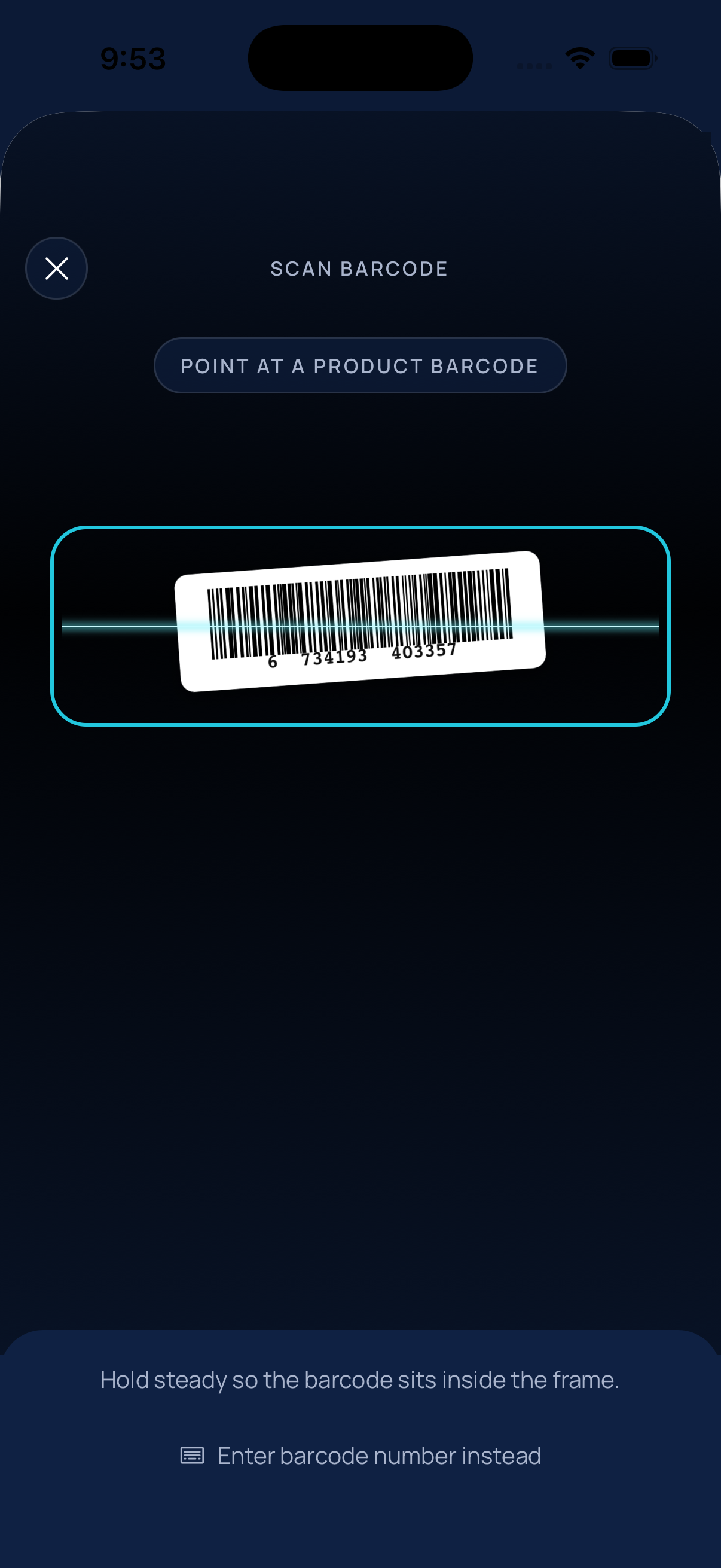
Barcode scanner reading a product barcode inside the aiming frame
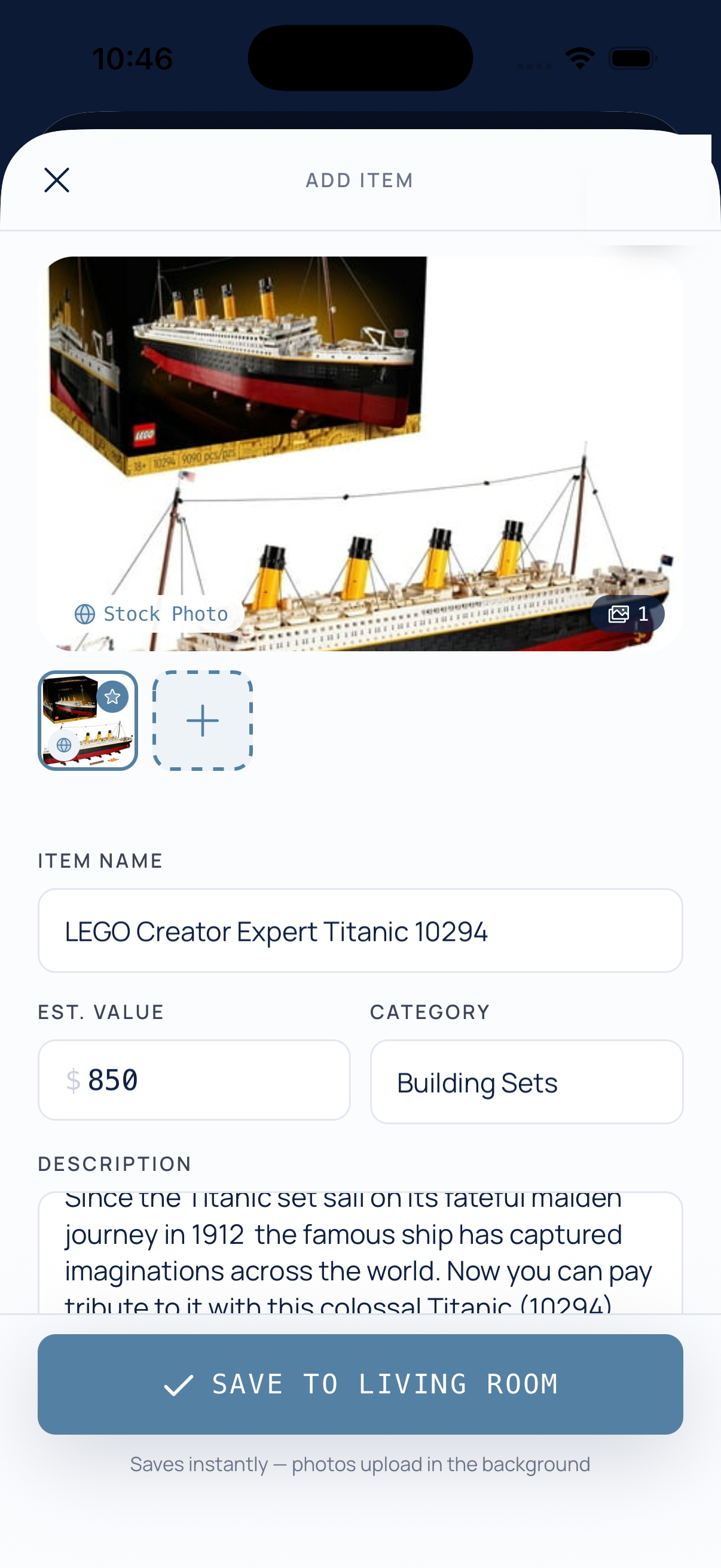
Add Item screen prefilled from a barcode scan of a LEGO Titanic set — name, stock photo, $850 estimated value, and category filled in
09 / Feature

Scan a barcode — instant details for anything boxed or packaged

Photographing an item is perfect for the one-of-a-kind stuff, but for anything with a barcode there’s now something faster. Open the scanner, point at the barcode on a box, bottle, or can, and Myne looks it up against open product databases and fills the item in for you.

You get the product name, a stock photo, category, description — and an estimated value — prefilled and ready to save in a single tap. Scan something you already own and Myne flags the duplicate before it lands in your inventory twice. No camera handy, or a scuffed label? Type the number in instead.

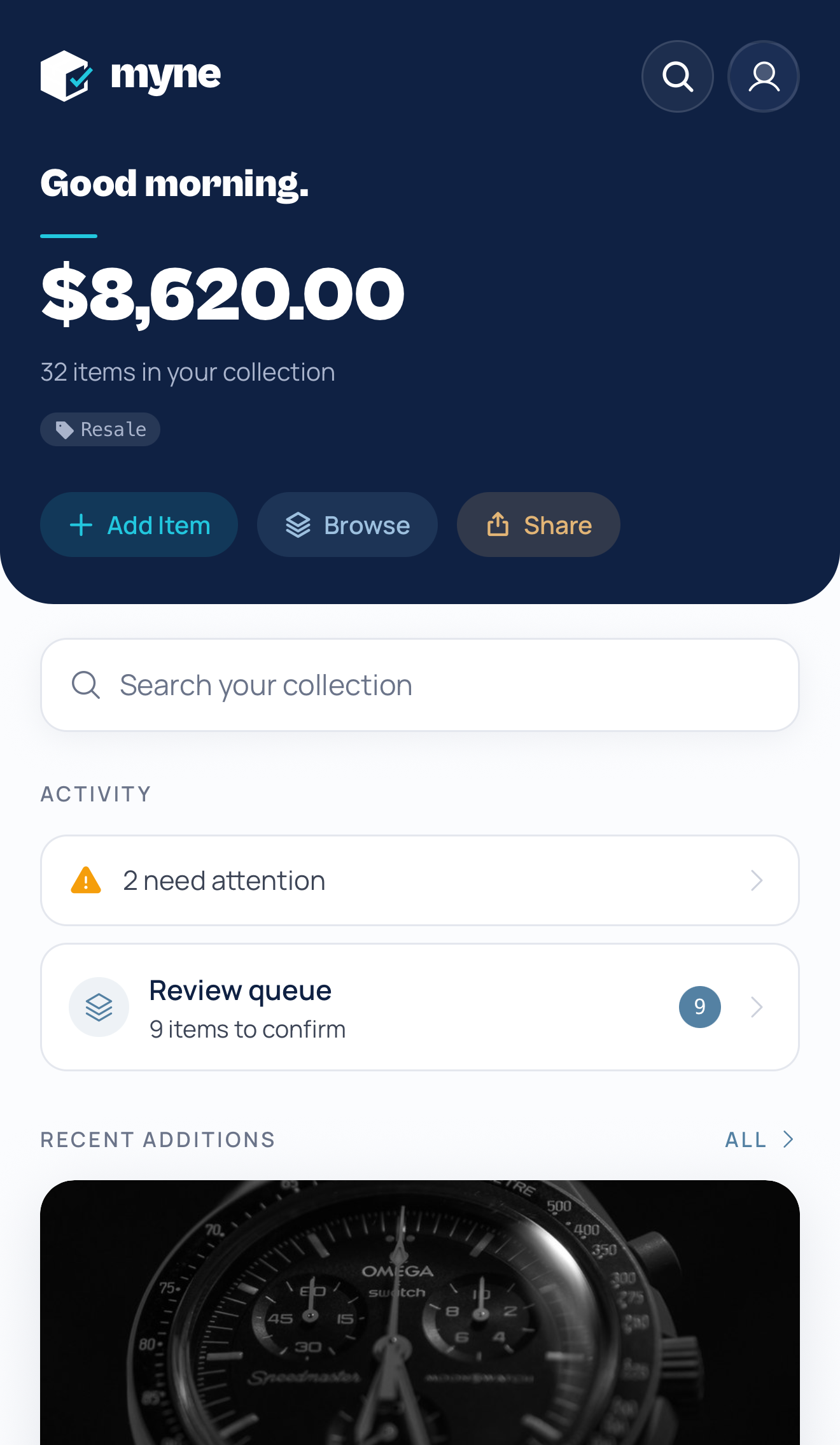
Myne home screen hero showing total estimated value with the Retail/Resale valuation badge
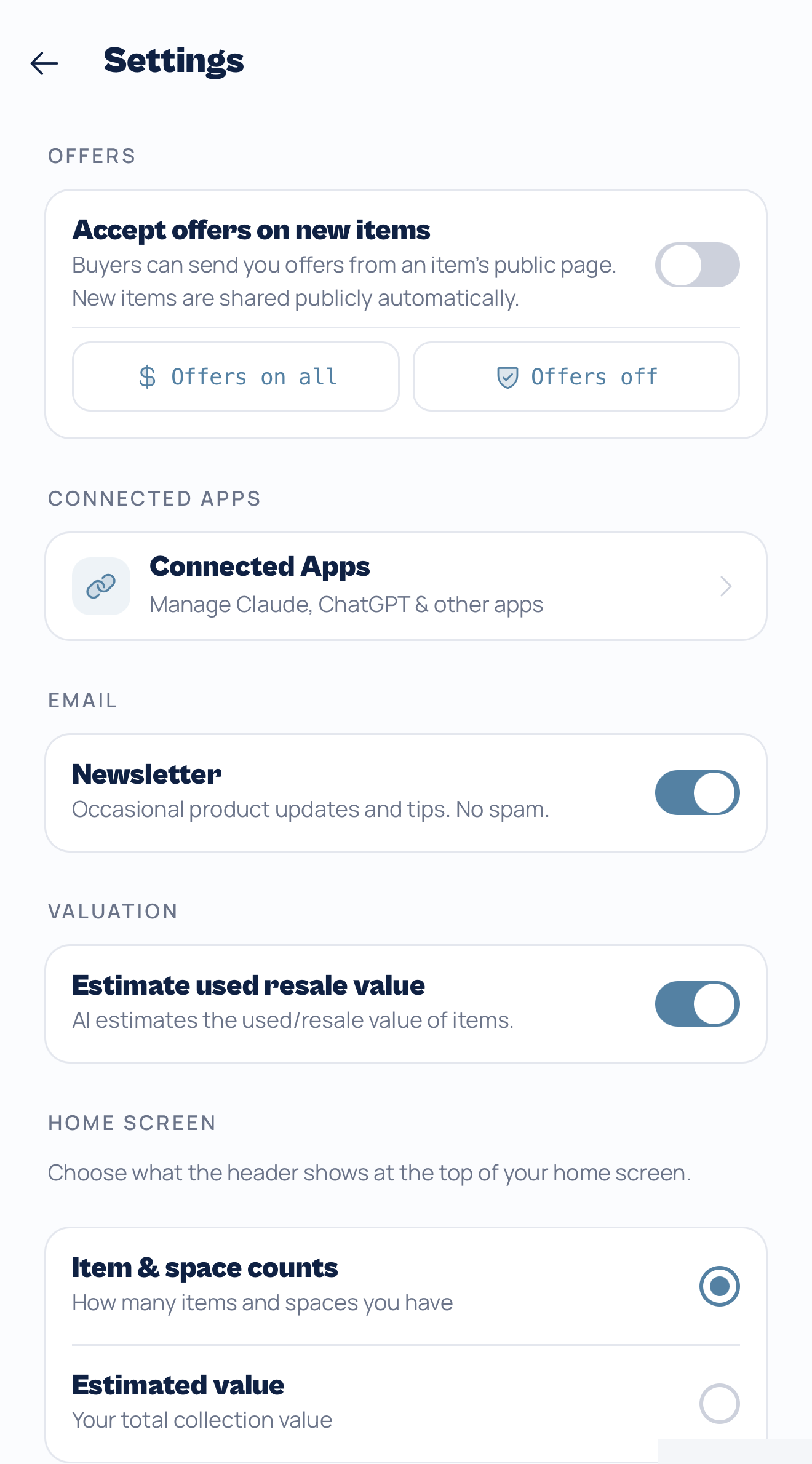
Settings screen with the “Estimate used resale value” toggle that switches every value between retail and resale
08 / Feature

What it costs new vs. what it’s worth used — pick your valuation

An inventory for insurance and an inventory for selling want different numbers. Insurance wants what it would cost to replace your stuff new; a garage-sale spreadsheet wants what it would actually fetch used. Myne now tracks both: every item the AI identifies gets a retail price and a realistic used-resale value, estimated together.

Flip between them anytime — there’s a toggle in Settings, and a small Retail/Resale badge wherever a value appears that jumps you straight to it. Your whole collection re-totals instantly, no re-scanning required, because both numbers are already on every item.

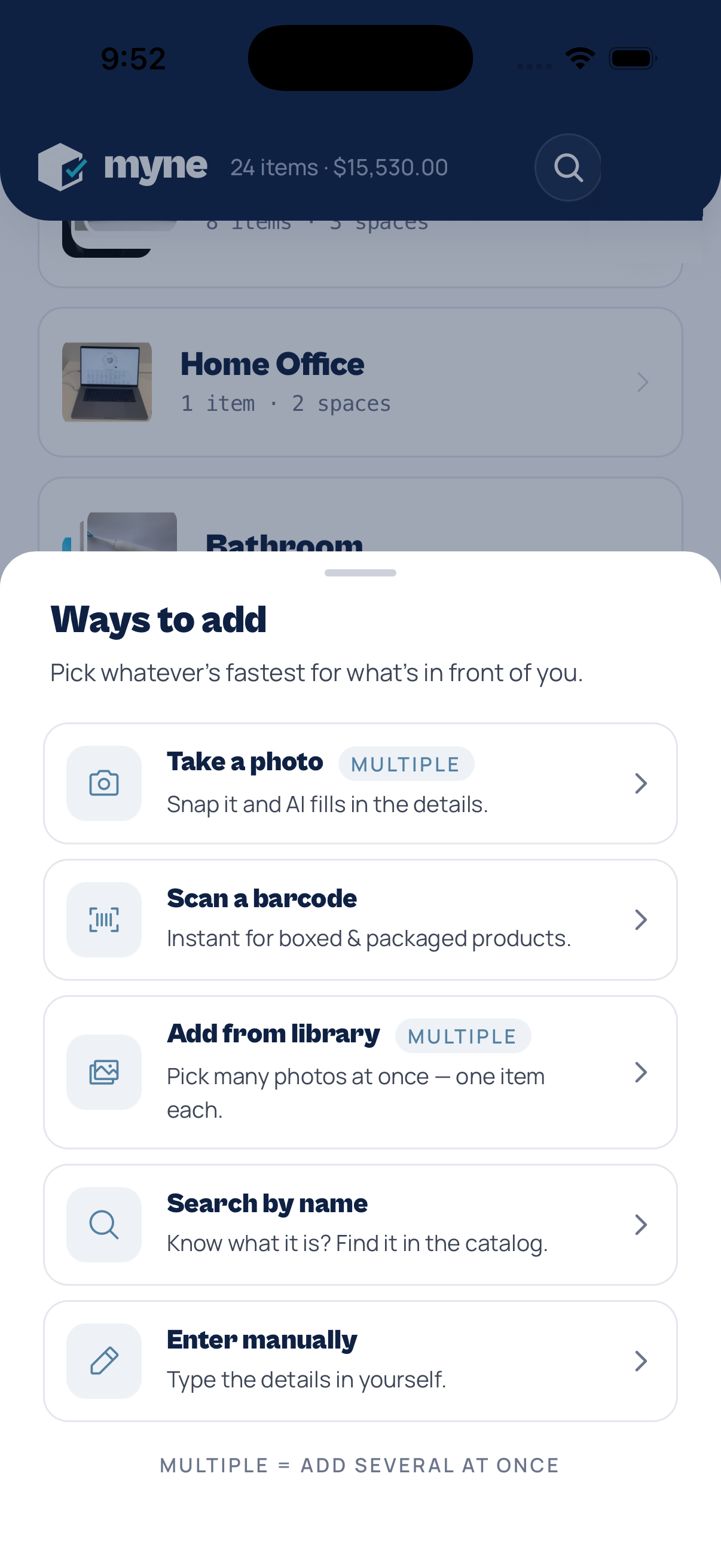
Ways to add sheet listing five methods: take a photo, scan a barcode, add from library, search by name, and enter manually
07 / Update

Five ways to add — pick whatever’s fastest

There’s no single right way to catalog an item, so Myne now lays all of them out in one place. Tap “Ways to add” on the home screen and choose whatever fits what’s in front of you.

Snap a photo and let AI identify it, scan a barcode for packaged goods, pull a batch straight from your library, search the catalog by name, or just type the details in by hand. Whichever path you take, everything lands in the same inventory.

06 / Feature

Manage your inventory by chat — connect Claude or ChatGPT

You can now connect Claude or ChatGPT directly to your Myne inventory and run it in plain language — add, find, value, and reorganize items just by asking. There’s a single URL to connect, and setup takes about a minute.

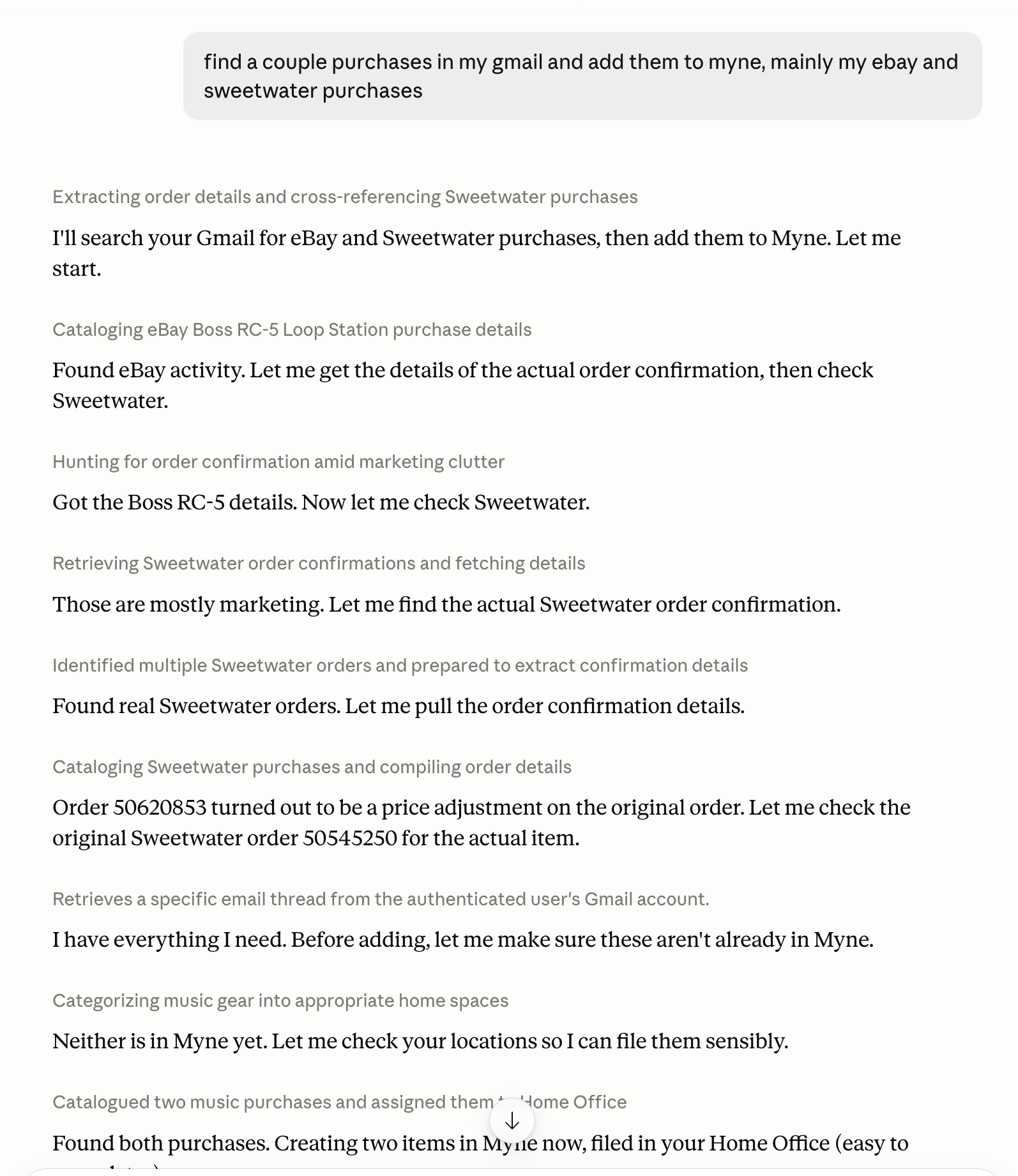
The magic is what your assistant can do across your other apps. Ask it to “find my recent eBay and Sweetwater purchases in Gmail and add them to Myne,” and it reads your email and files each item into the right room. It’s available on a Myne Plus or Pro plan, and it’s read and write — it can create and edit items, but it never deletes them.

Connect athttps://getmyne.app/mcp
Claude
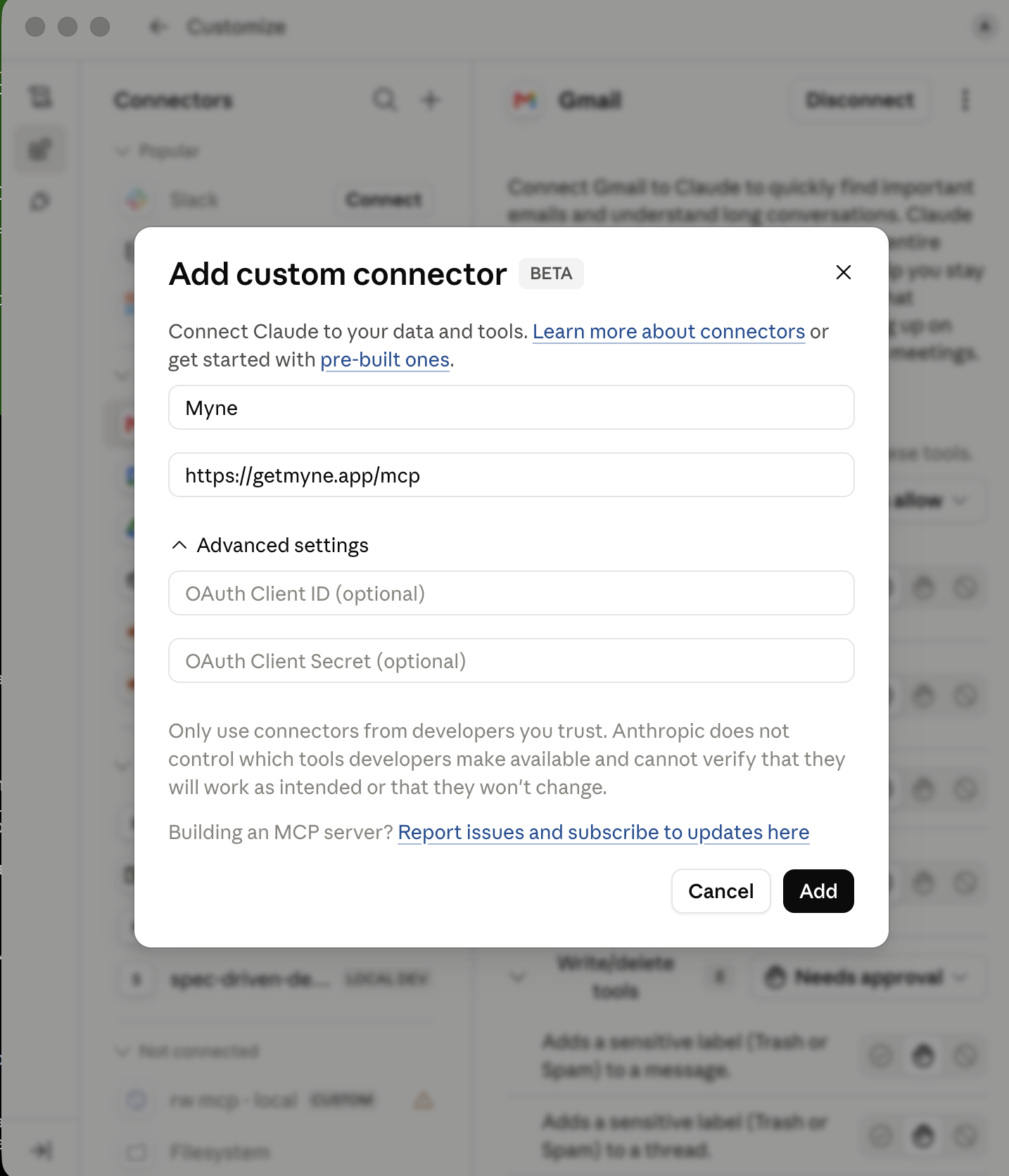
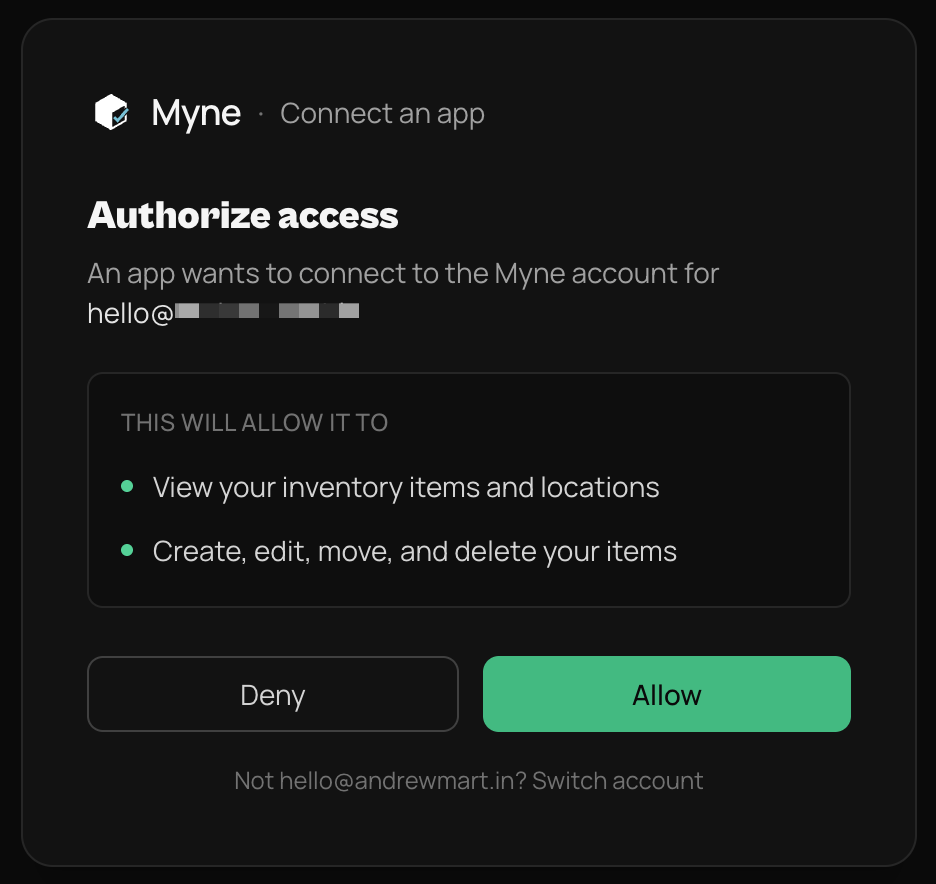
SettingsConnectorsAdd custom connectorpaste https://getmyne.app/mcpAddConnectAllow.
ChatGPT
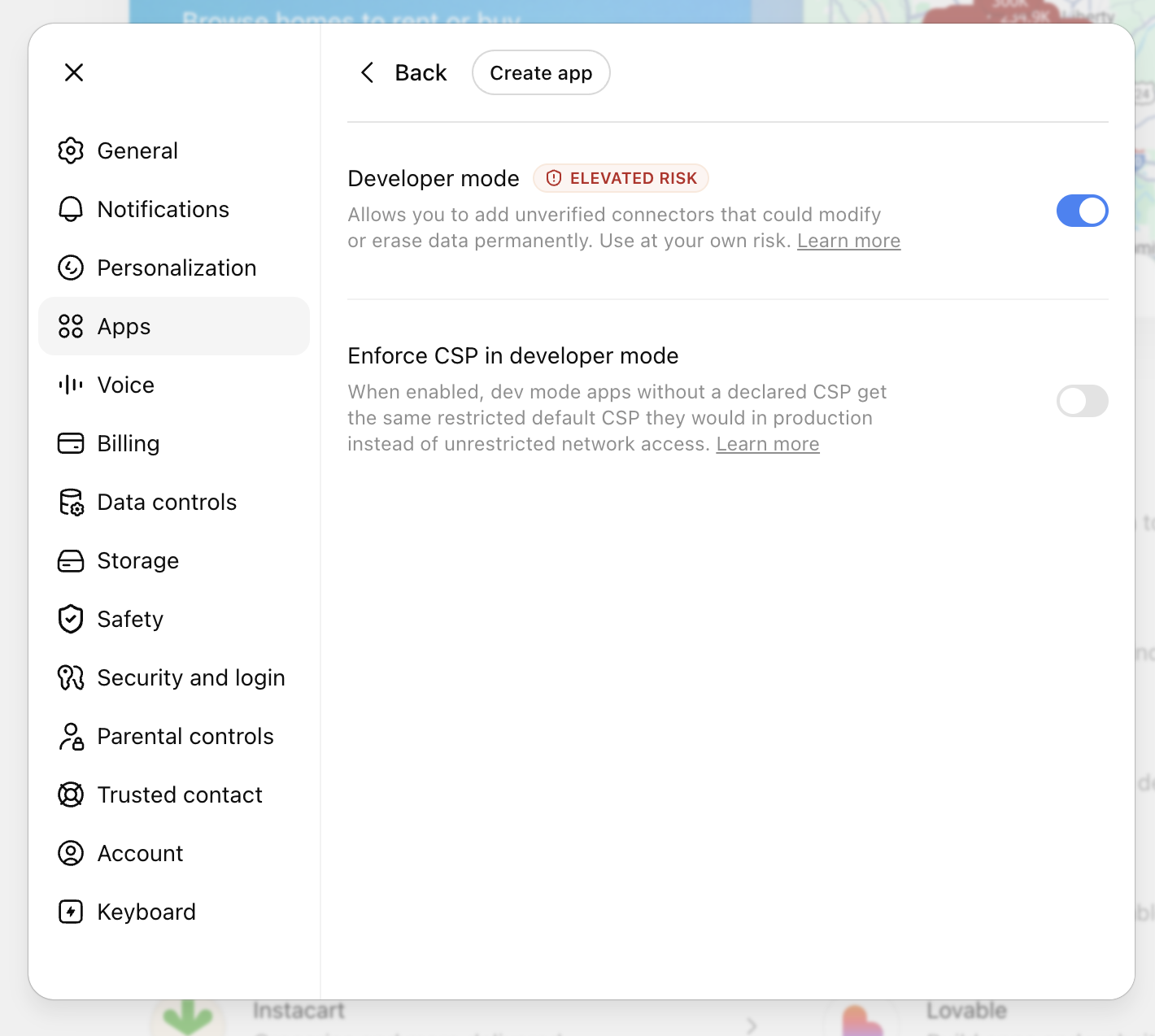
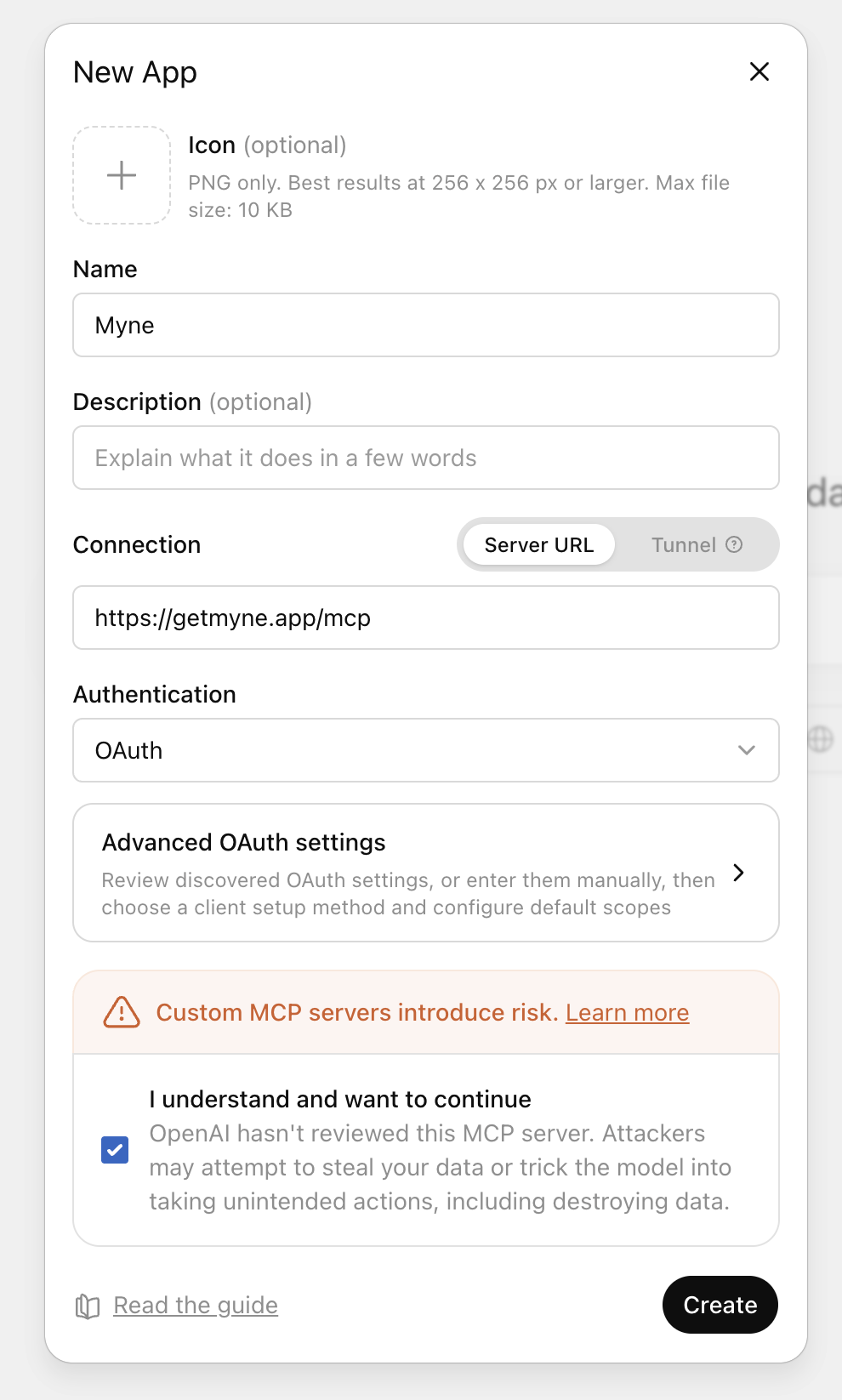
On desktop: Settingsenable Developer modeConnectorsCreatepaste https://getmyne.app/mcpAuthentication: OAuthCreatesign in.
A chat where the assistant finds eBay and Sweetwater purchases in Gmail and files them into Myne
It files items straight from your email
Claude
  1. 1Add a custom connector
    Claude’s Add custom connector dialog with the Myne MCP URL filled in
  2. 2Approve access in Myne
    Myne’s Authorize access OAuth consent screen
ChatGPT
  1. 1Turn on Developer mode
    ChatGPT settings with the Developer mode toggle switched on
  2. 2Create a custom app
    ChatGPT’s Create app connector dialog
  3. 3Approve access in Myne
    Myne’s Authorize access OAuth consent screen
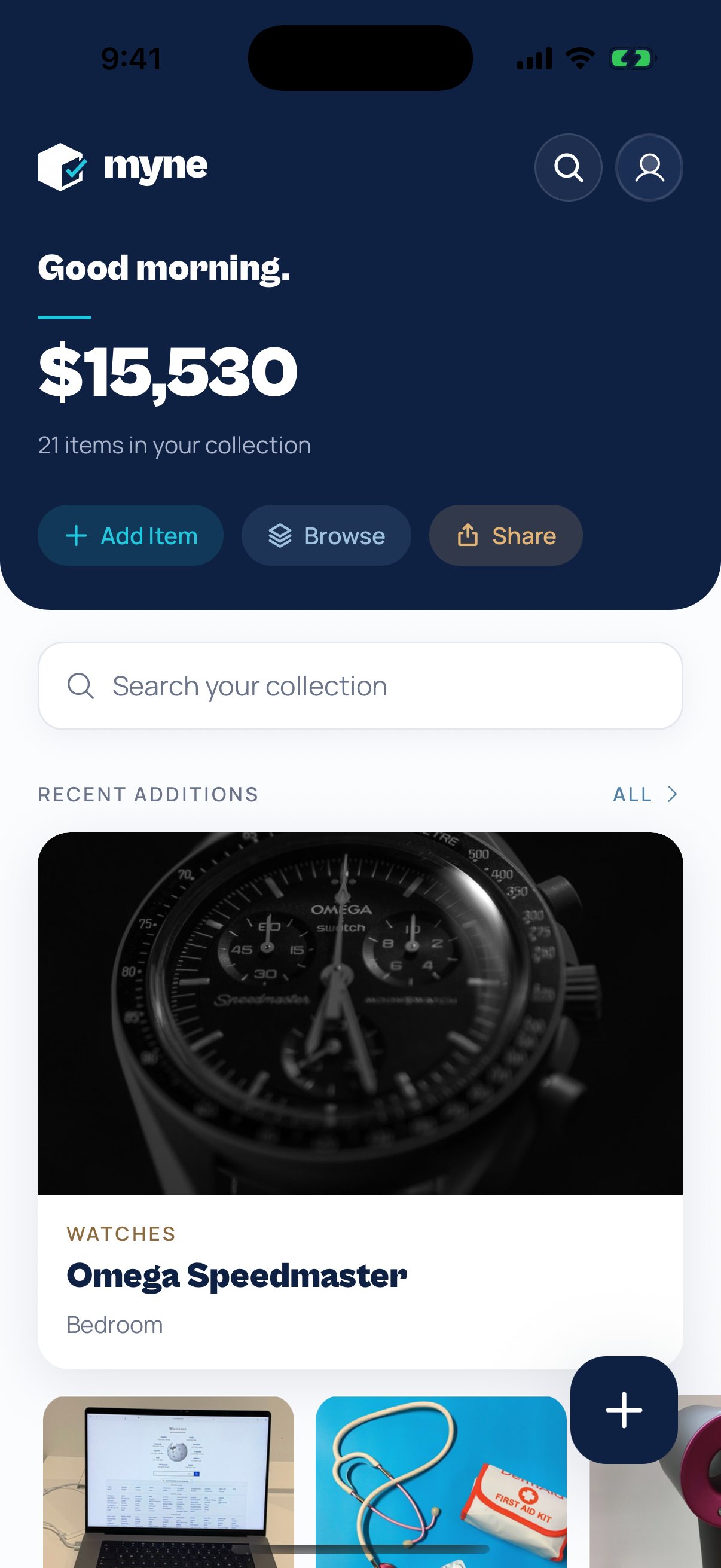
Redesigned Myne home screen
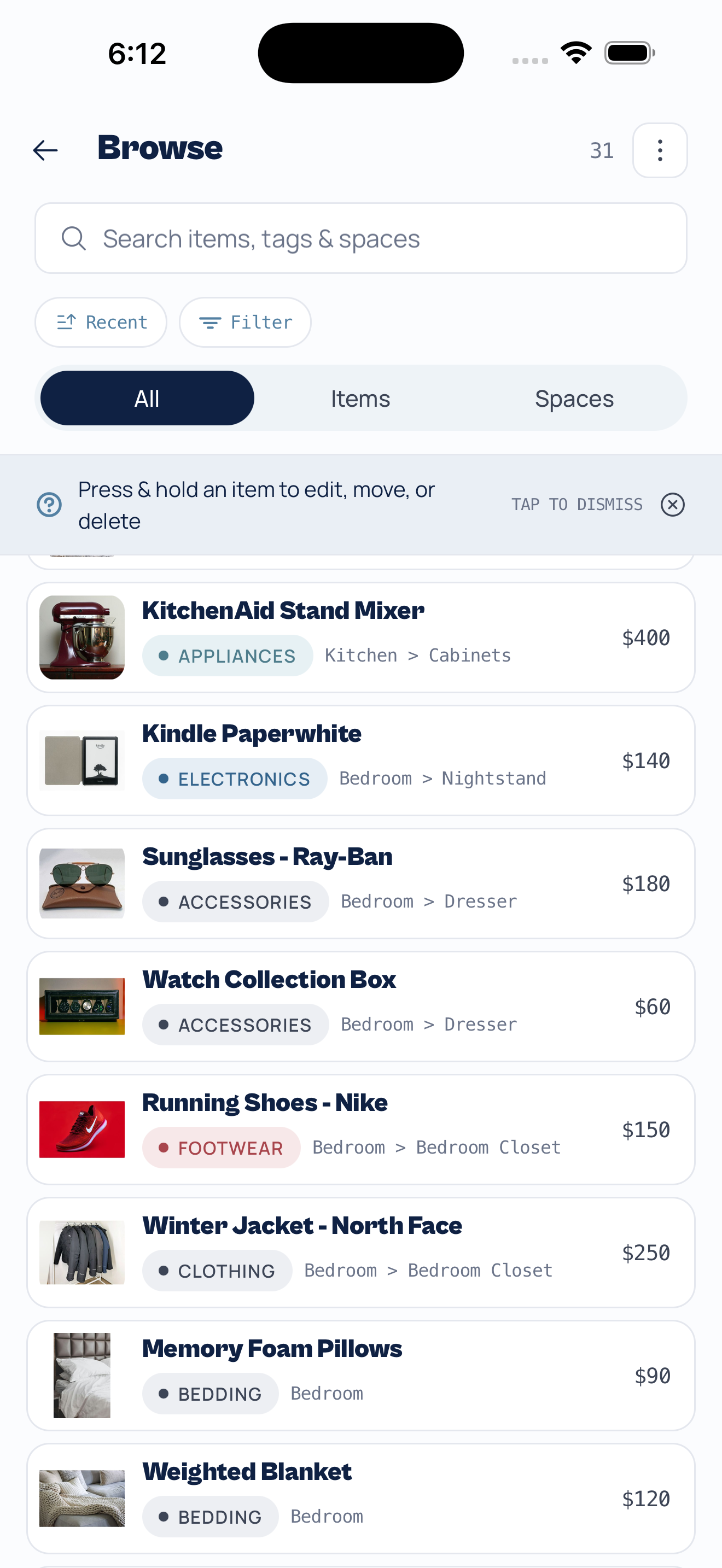
Redesigned browse screen with a masonry grid of items
05 / Redesign

A fresh new look — Myne, redesigned

Myne has a brand-new look. We rebuilt the app around a calmer, more focused design — a deep navy canvas, crisp typography, and your collection front and center.

The home screen now leads with what matters: your total items, estimated value, and anything waiting in your review queue. Browsing got a richer masonry layout, and every screen feels faster and more deliberate.

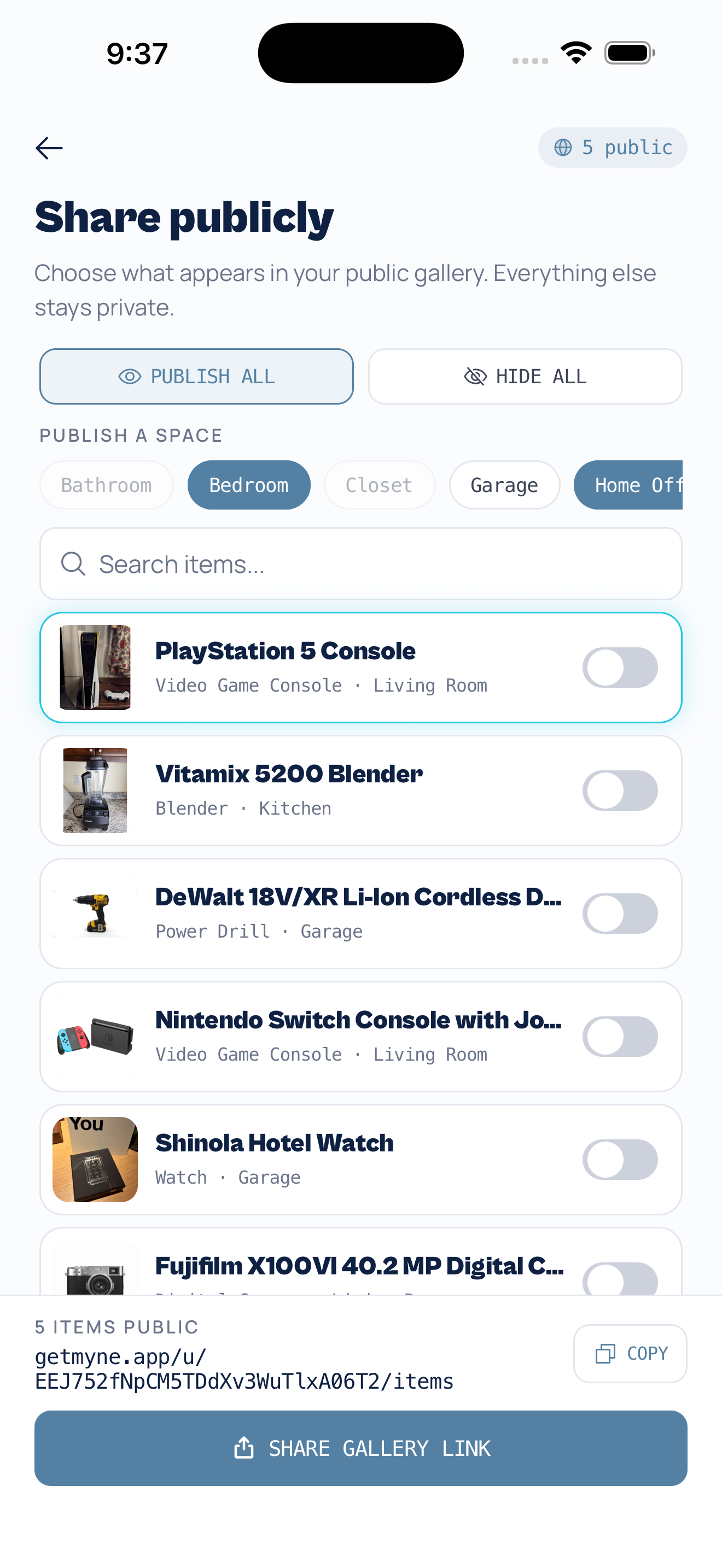
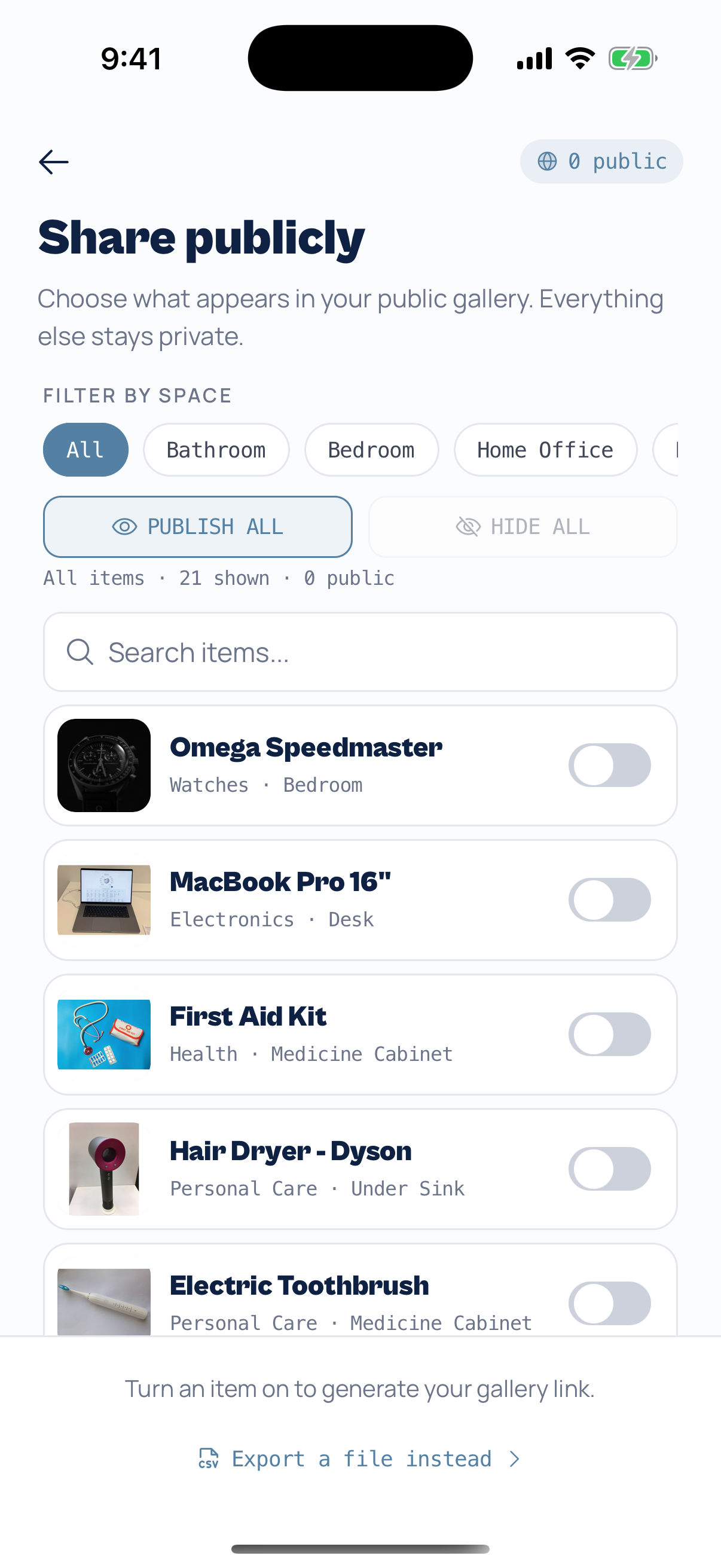
Share publicly screen — per-item and per-space toggles that build one public gallery link, everything else stays private
04 / Feature

Share your collection — a public gallery you control

Your inventory is private by default. Now you can turn any part of it into a shareable public gallery — and decide exactly what shows. Flip individual items public, publish a whole space like your garage or office, or share everything at once.

Myne gives you one clean link to your gallery — something like getmyne.app/u/you/items. Copy it from Settings or hit Share, and anyone can browse the items you’ve made public right in their browser, no app or account required. Everything you haven’t shared stays completely private.

Handy for handing an appraiser or insurer a curated list, showing family what’s in the house, or sending a buyer exactly the items that are for sale — without exposing the rest of your inventory.

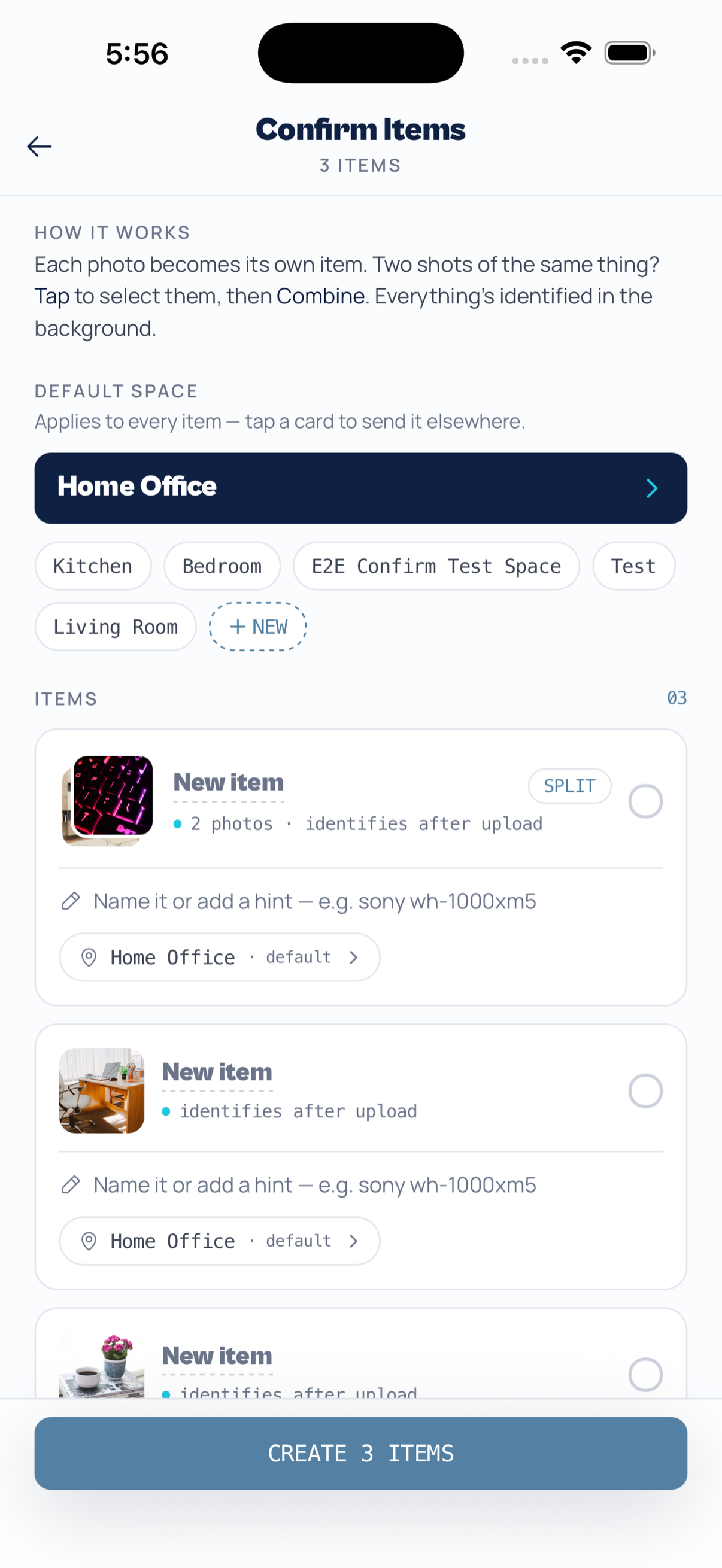
Bulk capture Confirm Items screen with multiple photos
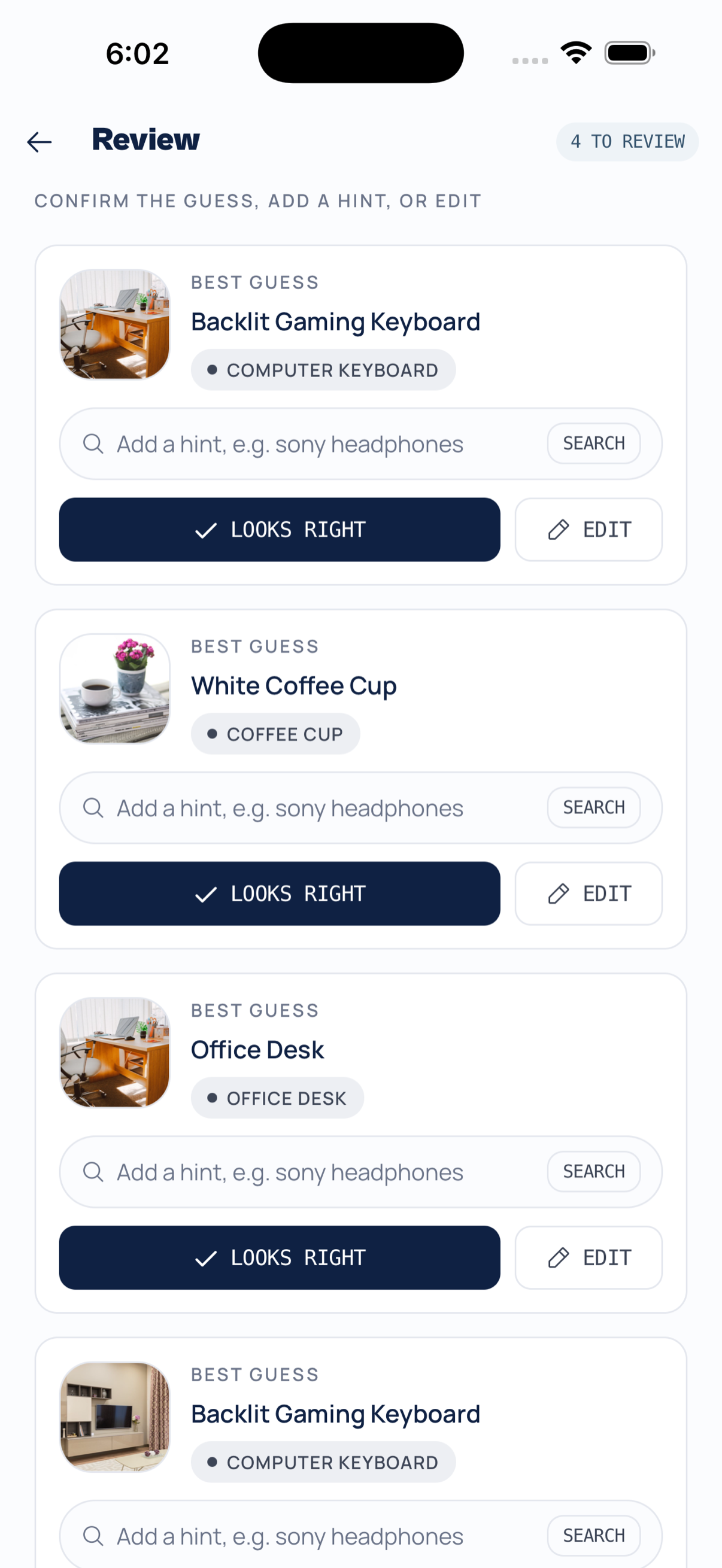
Review queue showing best-guess identifications to confirm
03 / Feature

Add a whole room at once — bulk capture & a smart Review queue

Cataloguing one item at a time is slow. Now you can snap a whole batch of photos in one go — each photo becomes its own item, and Myne identifies all of them in the background while you keep moving.

Took two shots of the same thing? Select them and tap Combine. Everything lands in a new Review queue, where Myne shows its best guess for each item — confirm it with a tap, add a quick hint, or edit the details. No more staring at a spinner.

01 / Launch

Myne is here — available on iOS and Android

Myne is live. The app that turns a photo into a fully catalogued inventory — AI identification, automatic valuations, location tracking, and effortless organization — is now available on both the App Store and Google Play.
Snap a photo, let the AI fill in the details, and build your inventory in minutes. Your data syncs to the cloud and travels with you across devices and platforms.

Get started

Download Myne today.

Available now on the App Store and Google Play.